WEBCON Integration with Microsoft Fabric SQL Analytics Endpoint
Learn how to connect a Microsoft Fabric Lakehouse SQL analytics endpoint to WEBCON using a Microsoft Entra service principal.
Introduction
Microsoft Fabric provides a scalable platform for storing and analyzing data in OneLake. If you want to access this data from WEBCON, the SQL analytics endpoint offers a straightforward integration option. This guide explains how to configure the required Microsoft Entra application, grant the necessary permissions in Fabric, and create a reusable MSSQL connection in WEBCON Designer Studio.
Microsoft
Entra App
As you need a service principal for your MSSQL connection you have to create a new Entra application registration first if you don’t already have one for WEBCON’s MS Fabric access. You should better use a dedicated app registration instead of using existing WEBCON related app registrations that are used for e.g. user sync, SSO or application proxy. You can find a documentation for this from WEBCON here.
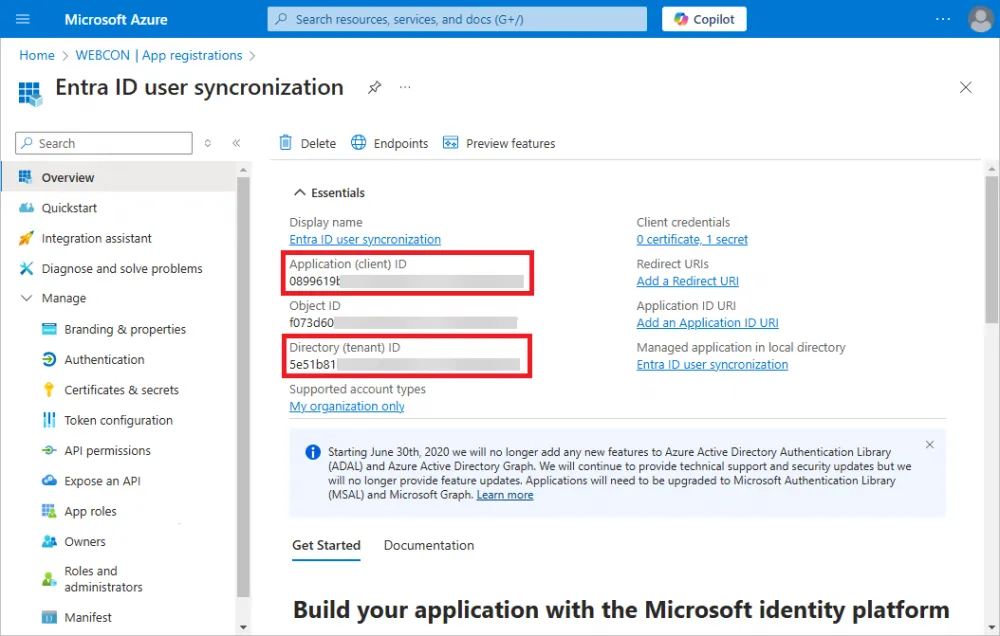
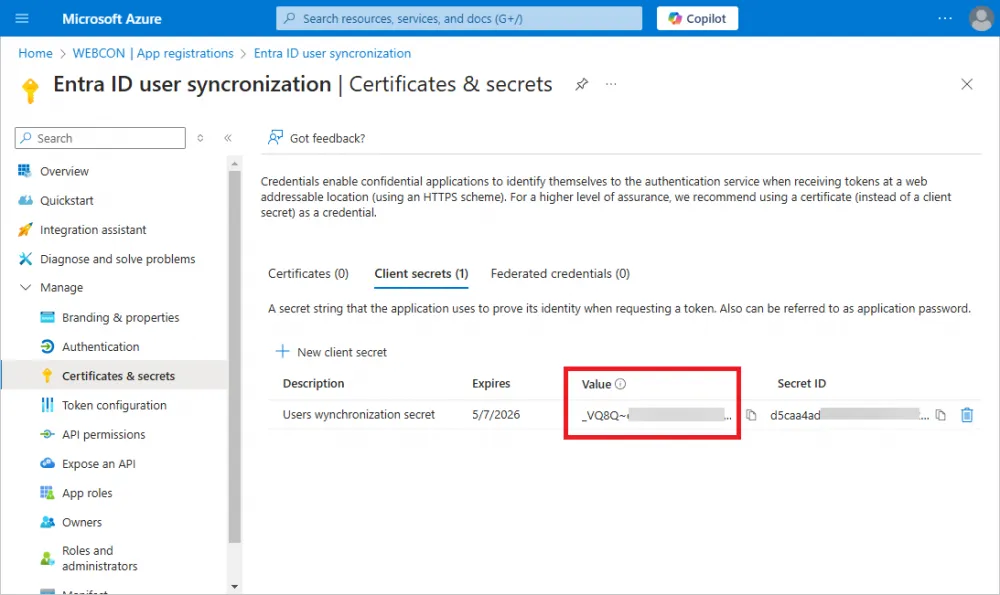
The most relevant screenshots for the necessary data for the configuration of the WEBCON MSSQL connection are:
Client (application) ID
Secret value
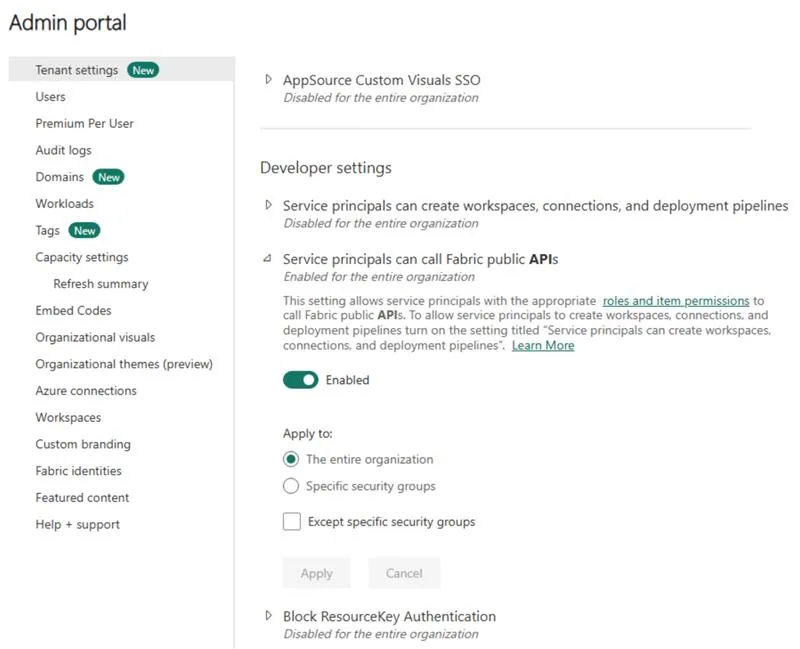
MS Fabric Admin Center
Go to the MS Fabric Admin Center and search for “Service principals can call Fabric public APIs” in the “Tenant settings”. Enable this option. Only if this option is enabled you can share your lakehouse in the next step with your Entra app. Details can be found here. Select the option under “Apply to” to your needs and click Apply.
MS Fabric
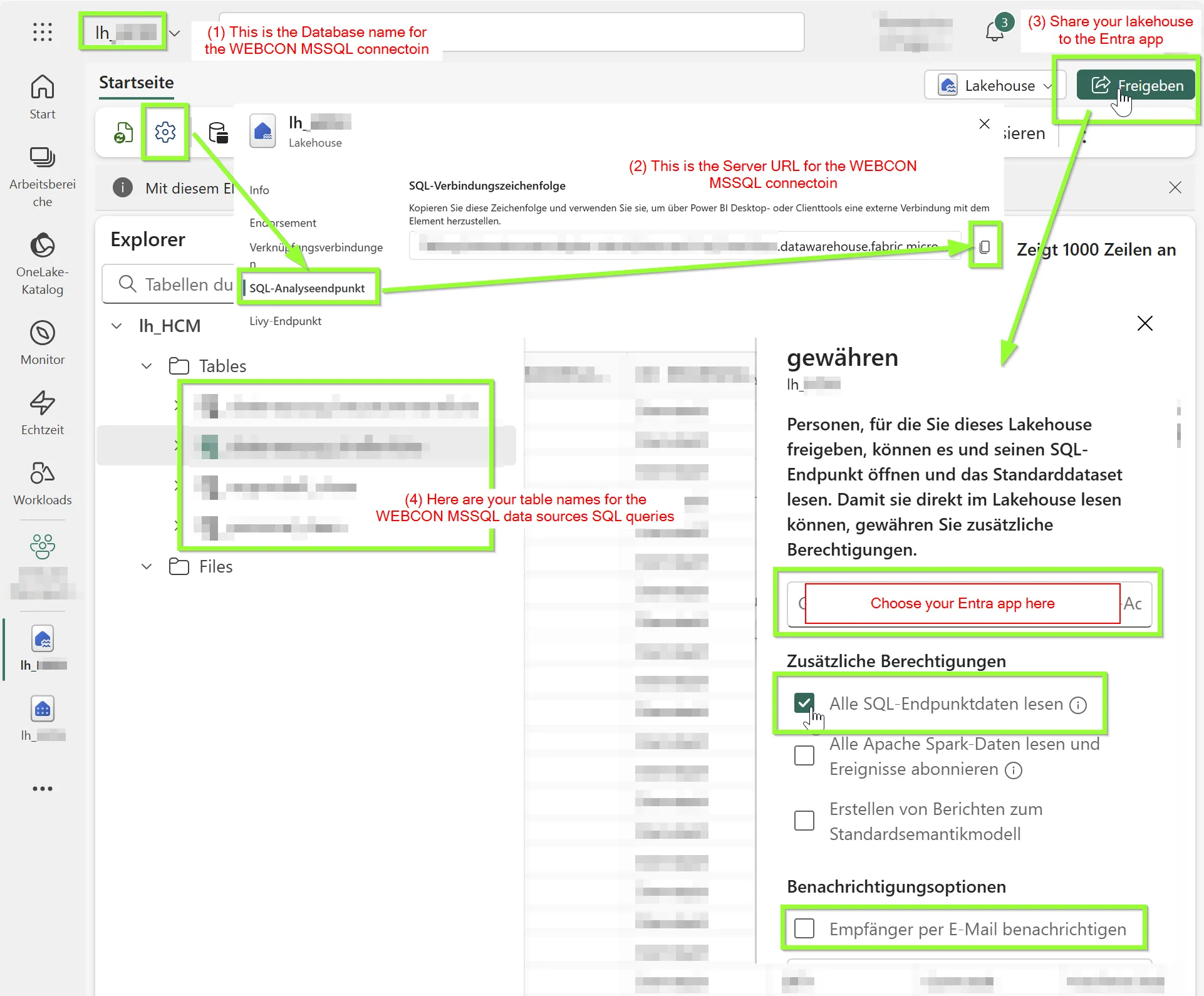
- Open your lakehouse and note its name.
- Go to the lakehouse settings and click on SQL analysis endpoint. Now copy the URL string. You will need it later when creating the WEBCON SQL connection.
- Next click on “Share” and search for your Entra app that you’ve created before. Enable the checkbox to read all SQL endpoints and disable the checkbox for the mail notification.
- The tables in your lake house can be queried with SQL in your new WEBCON data source that you’ll create in the next chapter.
WEBCON
Set up the SQL connection
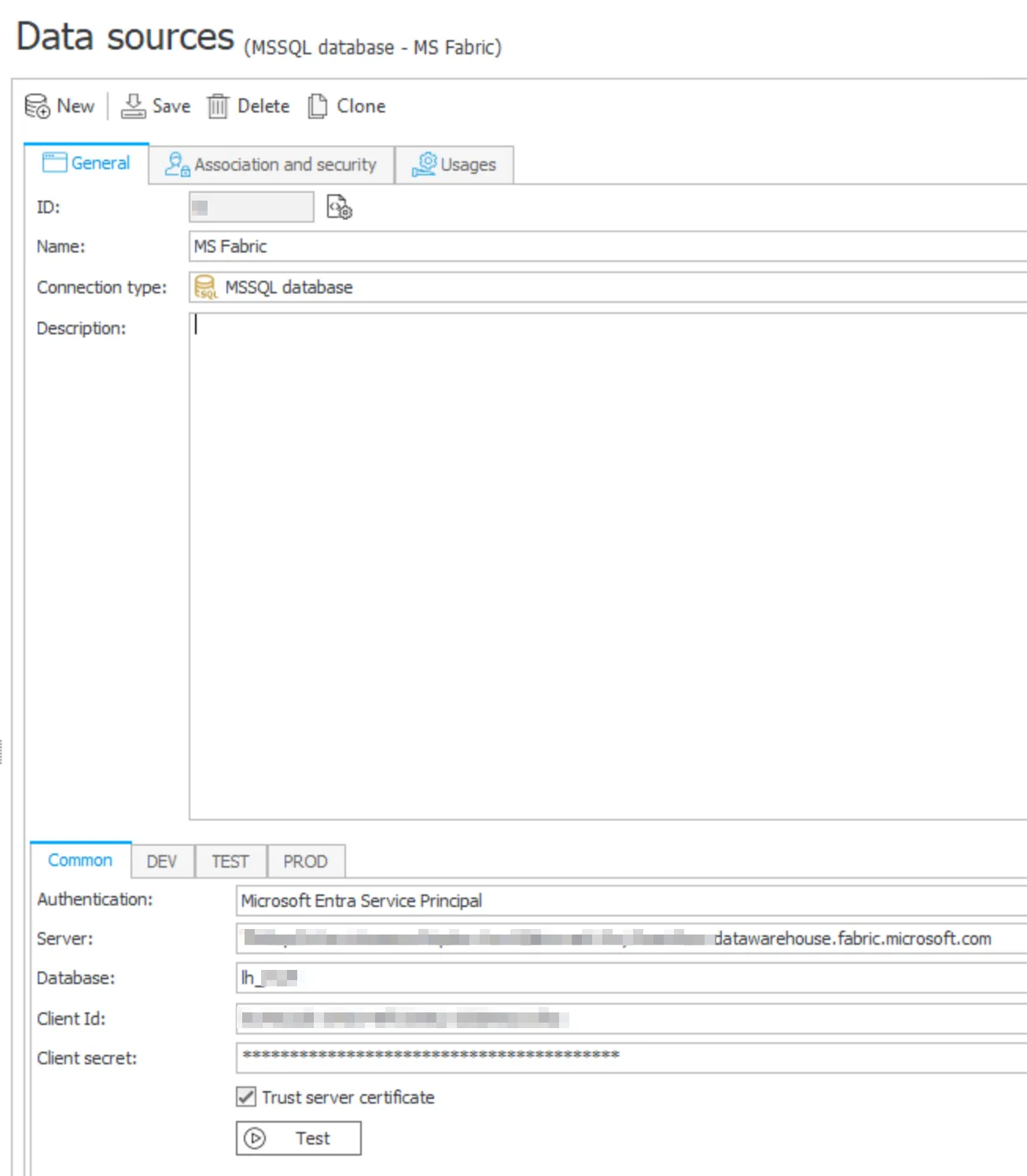
Create a new MSSQL database connection and enter the following configuration:
- Authentication: Microsoft Entra Service Principal
- Server: Paste the URL copied from the lakehouse’ settings (number 2 above at MS Fabric)
- Database: Enter the name of your shared lakehouse (number 1 above at MS Fabric)
- Client Id: Paste the client id of the Entra app
- Client secret: Paste the secret value (not the ID!) of the Entra app. Remember that client secrets expire. Before the expiration date, generate a new secret and update the connection in WEBCON.
Set up a data source
Now you can create a new MSSQL data source, choose the above created MSSQL connection and you can query all tables of your lakehouse.
Conclusion
After configuring the Microsoft Entra application, granting the required permissions in Microsoft Fabric, and creating the SQL connection in WEBCON, Lakehouse tables can be queried from MSSQL data sources just like any other SQL Server database. This makes Microsoft Fabric data available for forms, business rules, automations, and other WEBCON components without requiring additional integration layers.
Comments
Comments will be added here later.